
Redesigning Online Learning: At the time of writing this I work for a Pension Fund that offers services to the Episcopal Church. My team is currently involved in a multi-year corporate project to refresh our public facing website. Last year the company released a newly defined online learning strategy, which required us to take a comprehensive look at how we presented learning on our company website. The company offers a variety of learning courses, informative articles, tools, and videos with the intention helping those we serve make the most out of the various products and services we offer them. My teams task was to provide the user with an experience that allows them to quickly and easily find what they need.
We were tasked with reorganizing the site to shift away from a role-based structure into a more goal-oriented or journey-based structure. The goal was to deliver our content based in a more natural way, focusing on what the user was trying to do, and at what stage in their life they are at.
the problemThe existing online learning experience was bucketing the user into categories based on their role and relationship with the church. Meaning we were presenting information that required people to fit into a specific niche, and discouraged exploration outside of how we were limiting them.
the SolutionThe Education Strategy team wanted to shift how we refer to categorized learning towards a more natural experience, that also encouraged users to explore and continue learning.
Through a collaborative exploration with education, content, and my team, UX, we compiled client feedback and comparative research to decide on the following five categories - ‘Get to Know Your Benefits’, ‘Improve Your Financial Wellness’, ‘Take Charge of Your Health’, ‘Navigate Life Stages and Transitions’, and ‘Education Programs and Events’.
We knew that this re-categorization was only half the battle. The other half would be restructuring the Learning portion of our website to allow for users to navigate through these new categories, quickly find what they are looking for, and encouraging them to engage with content that might have been previously overlooked or missed.
my roleUX Designer, User Interface Designer – Supporting Role as Solutions Architect
goals & ConstraintsGoals
Improve find-ability and discoverability.
Allow for easy searching.
Encourage engagement with new content.
Architect a structure that allows for tiered categorization without burdening the CMS.
Constraints
The primary limitation was in architecting a structure that uses new categorization language not familiar to our users while also improving the speed to which users can find things.
Our site search did not allow for searching within specific sections of the site. We wanted to develop a system that allowed for sectional search. This would require us to take a look at how content and assets are structured in the CMS, and how we could rework that to allow for this functionality.
my processStep 1: Content Structure and Categorization Exploration
Lorem Ipsum
Step 2: White-Boarding, Card Sorting, Brainstorming Workshops
Lorem Ipsum
Step 3: Sketching/Wire Framing & Iterating
Lorem Ipsum
Step 4: Interaction Model Refinement, Designing New Components
Lorem Ipsum
Step 5: Prototype Refinement
Lorem Ipsum
Step 6: Back-End CMS Architecting, Tagging and IA
Lorem Ipsum
Step 7: Development, QA, UAT
Lorem Ipsum
the final product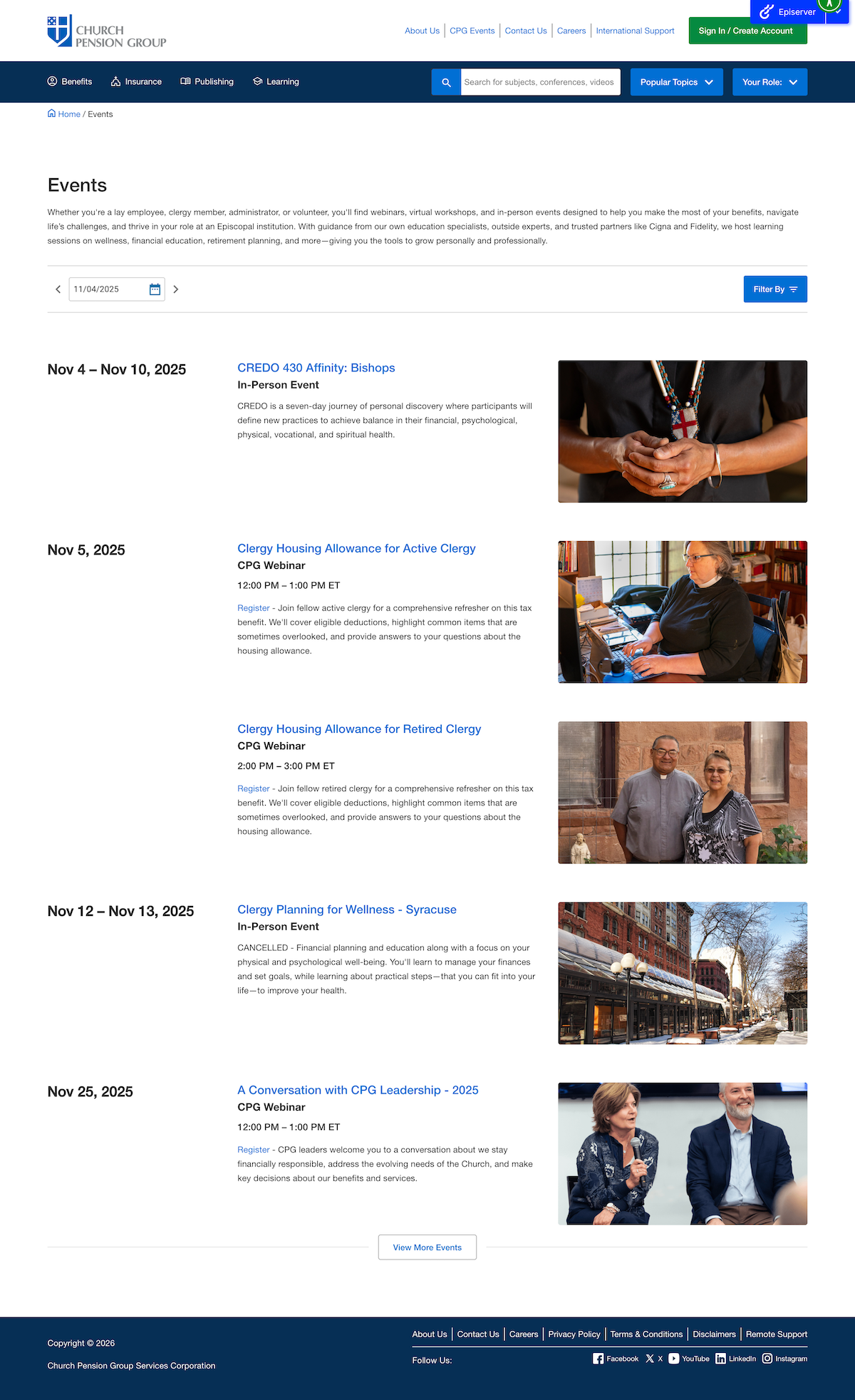
Full Events Calendar
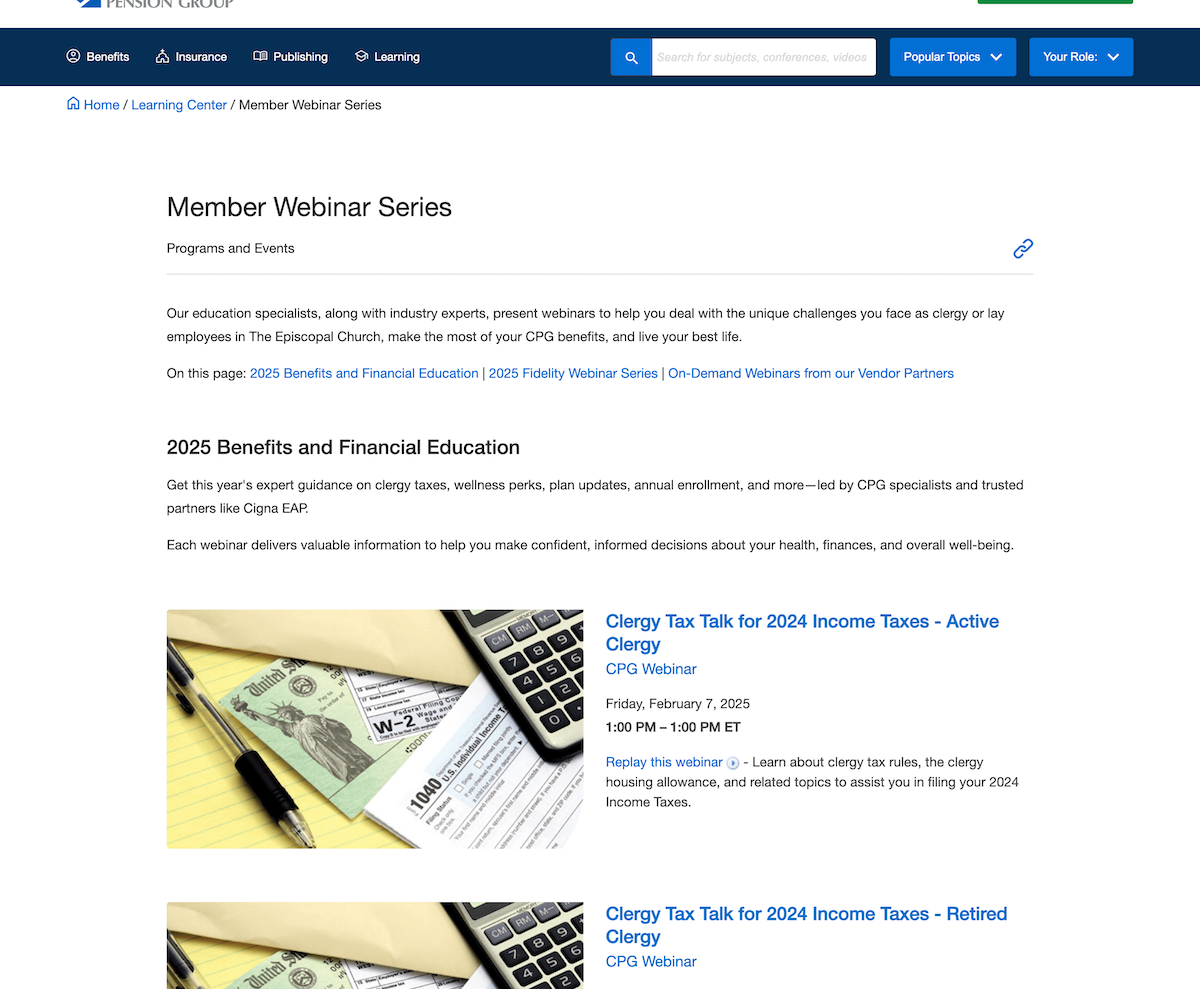
Calendar Widget, allows for pre-filtering and custom featured event
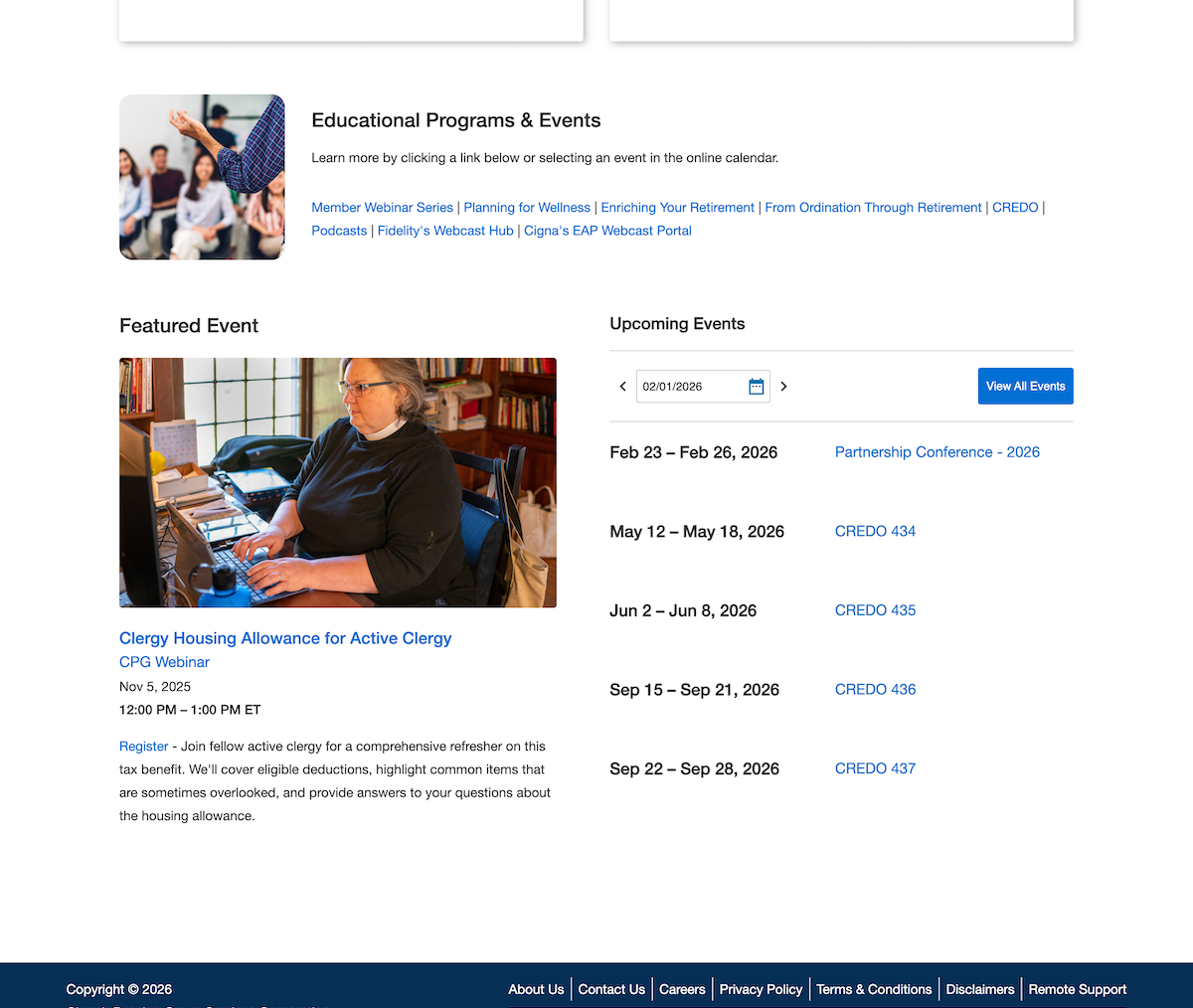
Event block when placed on another webpage.
Notice how all instances of an event had to use the same backend data, including image, title, subtitle, category, time/date, registration or replay information, and description. This formulaic approach allows for our simple management system and automated content population.
reflectionThe events calendar has launched with wide praise from not only our departmental stakeholders but also from our users. For example, we received praise from one church administrator stating how easily they were now able to plan out the rest of their year while also discovering a local event series that they had not known about. My work was also praised for my ability to go outside of my standard responsibility to develop a frontend system in my working with the content managers to architect a scalable solution that we can grow other parts of the site into.
In the next stage of this larger corporate project I am being brought more into the conversation in not only a UX role, but also as an advisory solutions architect. I deeply enjoyed being able to solve problems on both sides of the development process.
Future Improvements
As of writing this we are about to release a UI update that better accommodates multi-day events. We are also updating the filtering system to allow for custom sorting of event filters based on the placement of the Event Calendar Widget.